Hotline: 16297 (9 AM to 8 PM)



 Hello, Sign in
 Cart
Cart 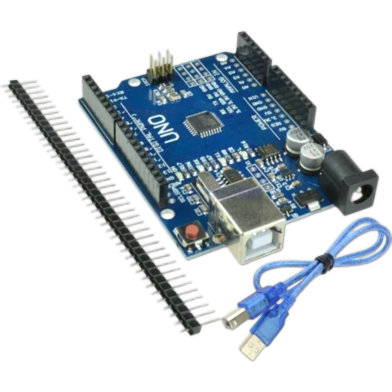








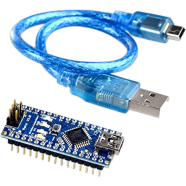
With an ATmega328P microcontroller running at 16 MHz, the Arduino UNO R3 SMD with Programming Cable handles standard prototyping tasks. Fourteen digital pins and six analog inputs manage complex sensor integration. This R3 version upgrades the USB-to-Serial interface to the CH340G and adds dedicated SDA and SCL pins for better I2C communication.
Key Features
- Surface-Mount ATmega328P: Durable low-profile chip soldered directly onto the development board. Resists vibration in mobile robotics projects.
- USB Type-B Cable: High-quality programming cable for 5V data and power. Connects to PCs for immediate firmware uploads.
- 14 Digital I/O Pins: Includes 6 PWM outputs for motor and signal control. Manages multiple sensors without requiring pin expansion.
- 7-12V Power Input: Support for external DC power via the barrel jack. Stabilizes performance during local load shedding events.
- CH340G Serial Interface: Integrated USB-to-serial converter for stable computer communication. Requires specific drivers for Windows port recognition.
Frequently Asked Questions
What is the difference between Arduino UNO R3 SMD and DIP?
The SMD version uses a surface-mount chip soldered to the board, while DIP has a removable socketed chip. Soldered chips offer better durability in mobile DIY electronics projects.
How to program Arduino UNO R3 SMD with USB cable?
Install the CH340G driver on your computer before connecting the Type-B cable. This allows the Arduino IDE to recognize the board's serial port for code uploading.